


Best Multi Vendor Marketplace Plugin for WordPress › Forums › WCFM – Ultimate › Resource (WooCommerce Bookings)
- This topic has 6 replies, 2 voices, and was last updated 8 years, 1 month ago by
 WCFM Forum.

- AuthorPosts
- August 23, 2018 at 9:38 pm #29404
 FloreGuest
Hello,
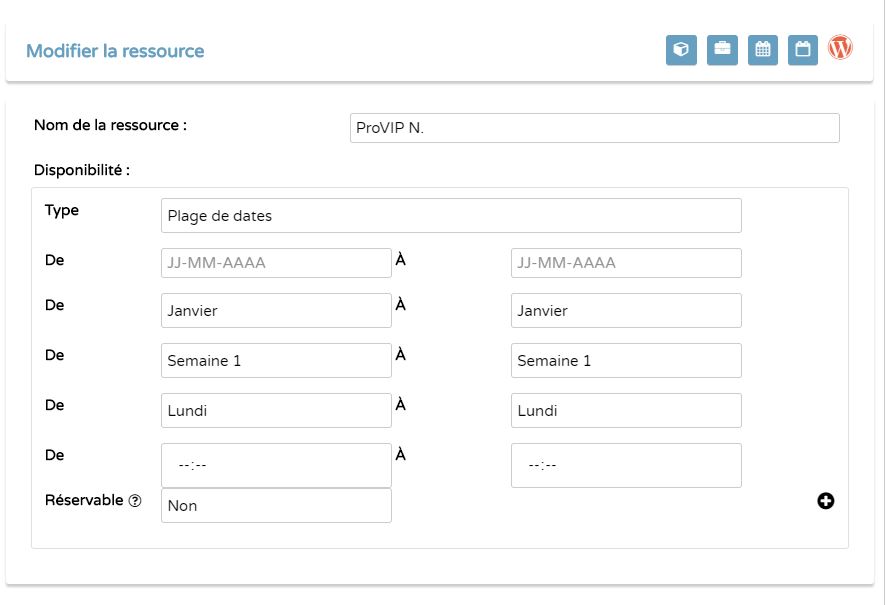
When I want to edit a resource, select fields are displayed all in the same time :
You can find here a picture :
https://www.helpandhome.fr/wp-content/themes/listify-child/js/erreur_resouce_bookings_corrige_js.JPG
(before we could attached a file with a subject?)
When I modify Type field all is hidding and it is ok after that.It is reproductible on your side ? maybe it is coming from my configuration, as I have done a lot of customization…
Thank you for your help,
Flore - August 24, 2018 at 7:06 pm #29606WCFM ForumMember
Hi,
No, it’s not normal behaviour at all, it looks like this – https://ibb.co/fGKBXp
may check at our demo – http://wcbooking.wcfmdemos.com/my-account/
Can you please check at Google chromw browser console? I am sure there has JavaScript errors!
Thank You
- August 25, 2018 at 8:44 pm #29720FloreGuest
Hi,
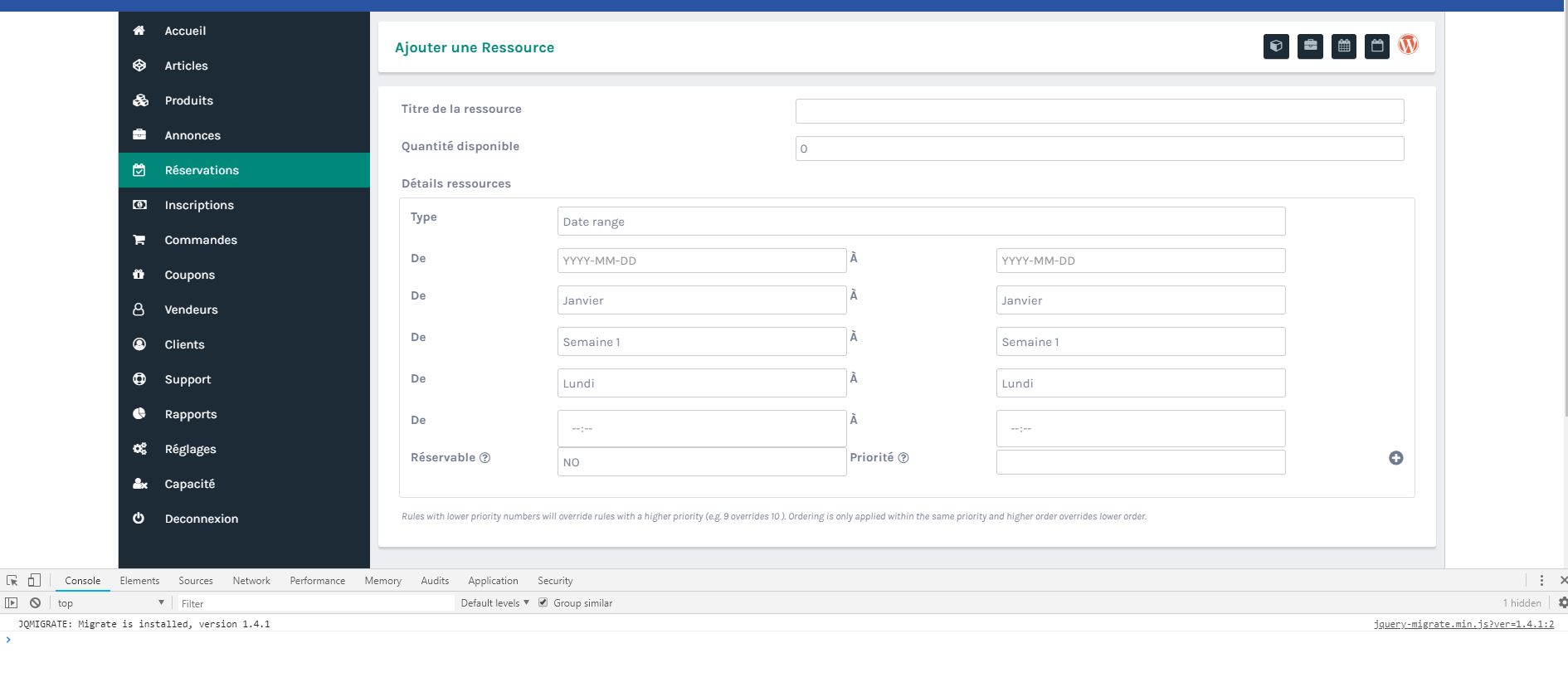
I tested with a test website : here the picture
https://www.helpandhome.fr/wp-content/themes/listify-child/js/Capture.JPGI have the same issue. And in this test website, I do not add any css or php or js modifications.
There is no js error in Google Chrome console in both site.Flore,
- August 28, 2018 at 7:26 am #29918WCFM ForumMember
Hi,
That’s really strange!
Can you please give me a demo vendor account to check this?
Thank You
- September 2, 2018 at 5:11 pm #30518WCFM ForumMember
Hi,
Is this resolve for you?
Thank You
- September 20, 2018 at 10:13 am #32098FloreGuestThis reply has been marked as private.
- September 24, 2018 at 7:58 pm #32443WCFM ForumMember
Hi,
I have just checked this.
It’s working perfectly but at initial load it’s not working.
Actually there is no such issue, you may check here – http://wcbooking.wcfmdemos.com/my-account
But the same thing working at other parts (add product page) of the site.
Thank You
- AuthorPosts


- The topic ‘Resource (WooCommerce Bookings)’ is closed to new replies.