Forum Replies Created
- AuthorPosts
 WCFM ForumMember
You are welcome 🙂
March 4, 2020 at 2:53 pm in reply to: Add Gallery button is out of the box or frame in vendor product image #109919WCFM ForumMemberHi,
Which theme you are using for the site?
Can you please share a demo vendor account with us to check this once!
Thank you
WCFM ForumMemberWhy you think it’s wrong? Can you please show us some screenshots for this.
WCFM ForumMemberbut currently the policies tab only allows plain text.
– No. Policies has editor – https://ibb.co/S0779j3
If you have disabled “Rich Editor” capability for vendors then these will turn into normal textarea.
Thank You
WCFM ForumMemberPlease contact us here for the purpose- https://wclovers.com/woocommerce-multivendor-customization/
WCFM ForumMemberIs it possible to have also the “secondary” tab always open instead of wait it opens?
– Sorry, not get this clearly.WCFM ForumMemberSorry, not get this clearly.
WCFM ForumMemberHi,
Well, for each new add product by vendor Admin do not receive any notification. Admin will receive notification if “Product Approval” option is enabled.
If you really want to send Admin email notification for each new add product then add this line to your site –
add_filter( 'wcfm_is_allow_new_product_notification_email', '__return_true' );Add this code to your child theme’s functions.php
In case you do not have child theme then add code using this plugin – https://wordpress.org/plugins/code-snippets/Thank You
March 4, 2020 at 2:38 pm in reply to: How to disable possibility to client/customer to finish to buy multi store #109903WCFM ForumMemberHI,
Please add this code to your site for the purpose – https://docs.wclovers.com/tweaks/#single-vendor-checkout
Add this code to your child theme’s functions.php
In case you do not have child theme then add code using this plugin – https://wordpress.org/plugins/code-snippets/Thank You
WCFM ForumMemberHI,
Does this buyer raised any support ticket yet for his any orders?
Thank You
March 4, 2020 at 2:35 pm in reply to: remove tool tip and move field description to below field. #109897WCFM ForumMemberHi,
Please add this code to your site for the purpose-
add_filter( 'wcfm_product_manage_fields_advanced', function( $advance_fields, $product_id ) {
	if( isset( $advance_fields['menu_order'] ) ) {
		$advance_fields['menu_order']['desc'] = $advance_fields['menu_order']['hints'];
		$advance_fields['menu_order']['desc_class'] = 'wcfm_page_options_desc';
		unset( $advance_fields['menu_order']['hints'] );
	}
	return $advance_fields;
}, 50, 2 );
Add this code to your child theme’s functions.php
In case you do not have child theme then add code using this plugin – https://wordpress.org/plugins/code-snippets/Thank You
March 4, 2020 at 2:22 pm in reply to: How to Customize product category section like attached image? #109894WCFM ForumMemberHi,
Please install and try this addon – https://drive.google.com/file/d/1H1U3a0yLhx-3MlehLmUiGt6fnu3t5SrP/view?usp=sharing
Thank You
WCFM ForumMemberAre you using WCFM Ultimate or only WCFM Free version?
If only free version then badges will not work as “Vendor Badges” module comes with WCFM Ultimate.
Thank You
WCFM ForumMemberHi,
when I want to use the “Search by radius” option, everything works fine in Elementor. When I click on preview, the form “insert your address…” disappears.
– Well, for preview this will not work, only work from site’s frontend after publish.
BTW: How can I translate “insert your address into german”? I cannot find it in Loco Translate… I am also trying to translate “Search by City” and “Search by ZIP”
– Please sync your translation file with latest plugin file, you will find this. https://ibb.co/6sPJYkV
Thank You
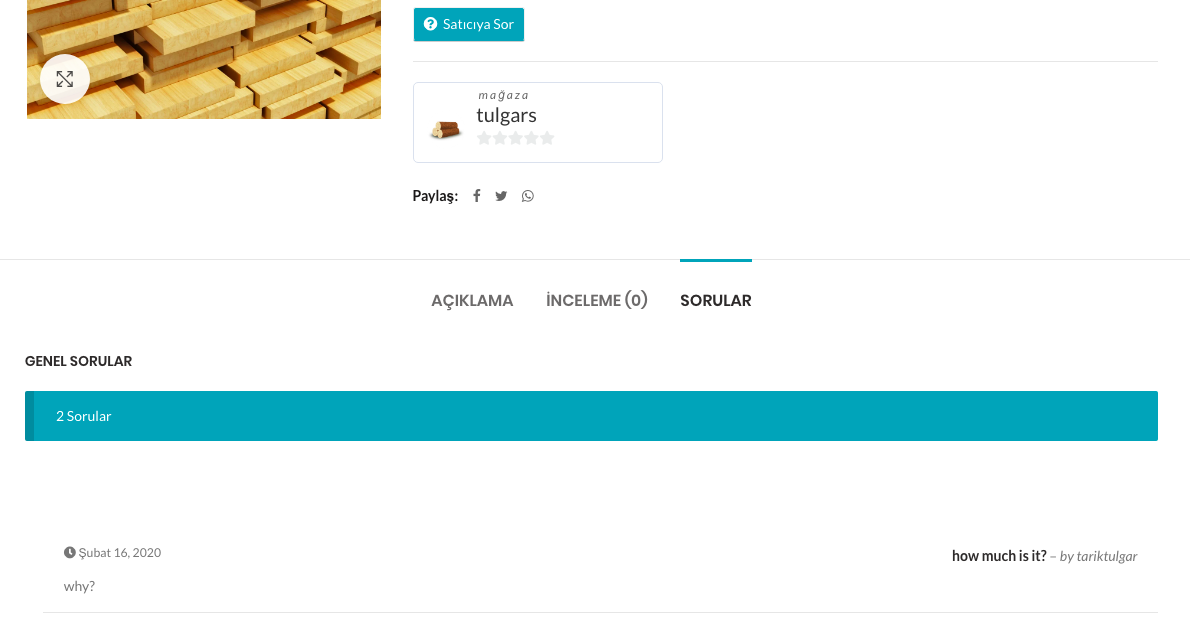
WCFM ForumMemberhttps://wclovers.com/wp-content/uploads/2020/02/Ekran-Resmi-2020-02-16-16.51.26-1.png
– “How much is it?” – question is visible.
Possibly you have stick “why?” answer so it’s visible there.
Thank YOu
March 4, 2020 at 2:14 pm in reply to: how can i manage vendors virtual product "keys" delivary #109888WCFM ForumMemberHi,
Do you want to enable “license key” sell option for your vendors?
If so, please use this plugin for the purpose- https://wordpress.org/plugins/license-manager-for-woocommerce/
Thank You
March 4, 2020 at 2:13 pm in reply to: Invalid arg supplied for foreach() in class-wp-list-util.php on line 151 #109887WCFM ForumMemberWell, I think this issue generated by some other plugin.
If you are still getting this issue then please contact us here here – https://wclovers.com/setup-guidance/
We will debug and fix this for you.Thank You
WCFM ForumMemberHi,
Kindly contact your theme support for this!
Thank You
March 4, 2020 at 2:08 pm in reply to: How to add custom post types to your Store Manager Dashboard #109885WCFM ForumMemberWhat you want to add in your child theme?
WCFM ForumMemberHI,
Add this code to your site and set your knowledge base url –
add_filter( 'wcfm_knowledgebase_url', function( $knowledgebase_url ) {
	$knowledgebase_url = 'SET YOUR URL HERE';
	return $knowledgebase_url;
});
Add this code to your child theme’s functions.php
In case you do not have child theme then add code using this plugin – https://wordpress.org/plugins/code-snippets/Thank You
WCFM ForumMemberWell, please contact WooCommerce social login plugin support for this. WCFM not responsible for all plugins’ translations.
WCFM ForumMemberHi,
Please go to WCFM Admin Setting -> Marketplace Setting -> Disable “Order Sync” option – https://ibb.co/1QYbWwq
Thank You
WCFM ForumMemberOK, but then how Admin’s product will be shipped?
WCFM ForumMemberIs your normal add product image upload working properly?
WCFM ForumMemberHi,
Well, by default commission tax always applicable on vendor’s commission amount.
If you want to apply on Admin’s commission then add this code to your site –
add_action( 'wcfmmp_order_item_processed', function( $commission_id, $order_id, $order, $vendor_id, $product_id, $order_item_id, $grosse_total, $total_commission, $is_auto_withdrawal ) {
	global $WCFM, $WCFMmp, $wpdb;

	if( apply_filters( 'wcfm_is_admin_fee_mode', false ) ) {
		$commission_rule   = unserialize( $WCFMmp->wcfmmp_commission->wcfmmp_get_commission_meta( $commission_id, 'commission_rule' ) );

		if( isset( $commission_rule['tax_enable'] ) && ( $commission_rule['tax_enable'] == 'yes' ) ) {
			$gross_sale_order  = (float) $WCFM->wcfm_vendor_support->wcfm_get_gross_sales_by_vendor( $vendor_id, '', '', $order_id );
			$commission_tax    = (float) $WCFMmp->wcfmmp_commission->wcfmmp_get_commission_meta( $commission_id, 'commission_tax' );
			$total_commission += $commission_tax;

			$admin_fee = (float) $gross_sale_order - (float) $total_commission;

			$commission_tax = $admin_fee * ( (float)$commission_rule['tax_percent'] / 100 );
			$total_commission -= (float) $commission_tax;

			$WCFMmp->wcfmmp_commission->wcfmmp_delete_commission_meta( $commission_id, 'commission_tax' );
			$WCFMmp->wcfmmp_commission->wcfmmp_update_commission_meta( $commission_id, 'commission_tax', round($commission_tax, 2) );
			$wpdb->update("{$wpdb->prefix}wcfm_marketplace_orders", array('total_commission' => $total_commission), array('ID' => $commission_id), array('%s'), array('%d'));
			$wpdb->update("{$wpdb->prefix}wcfm_marketplace_vendor_ledger", array( 'credit' => $total_commission ), array( 'reference_id' => $commission_id ), array( '%s' ), array( '%d' ) );
		}
	}
}, 50, 9 );
Add this code to your child theme’s functions.php
In case you do not have child theme then add code using this plugin – https://wordpress.org/plugins/code-snippets/Thank You
- AuthorPosts